 Resume Prune
How to use Resume Prune
The whole app in plain words. Ten minutes from "what is this" to "I've got it".
The big picture
You upload your resume once. For every job after that, you paste the posting and Resume Prune checks how well you match, prunes your resume to fit, and writes the cover letter. You download both as PDFs and send them. Then you mark that tweak Applied and move on to the next posting.
One posting, start to finish, is one tweak. Sprint gives you 20 a week. Pro gives you 40 a month.
The dashboard is one screen. The big panel is where a tweak happens: paste, check, prune, download. The column beside it is everything you've built up: your tweak count, your job hunt, saved experience, live resume links, and every past tweak.
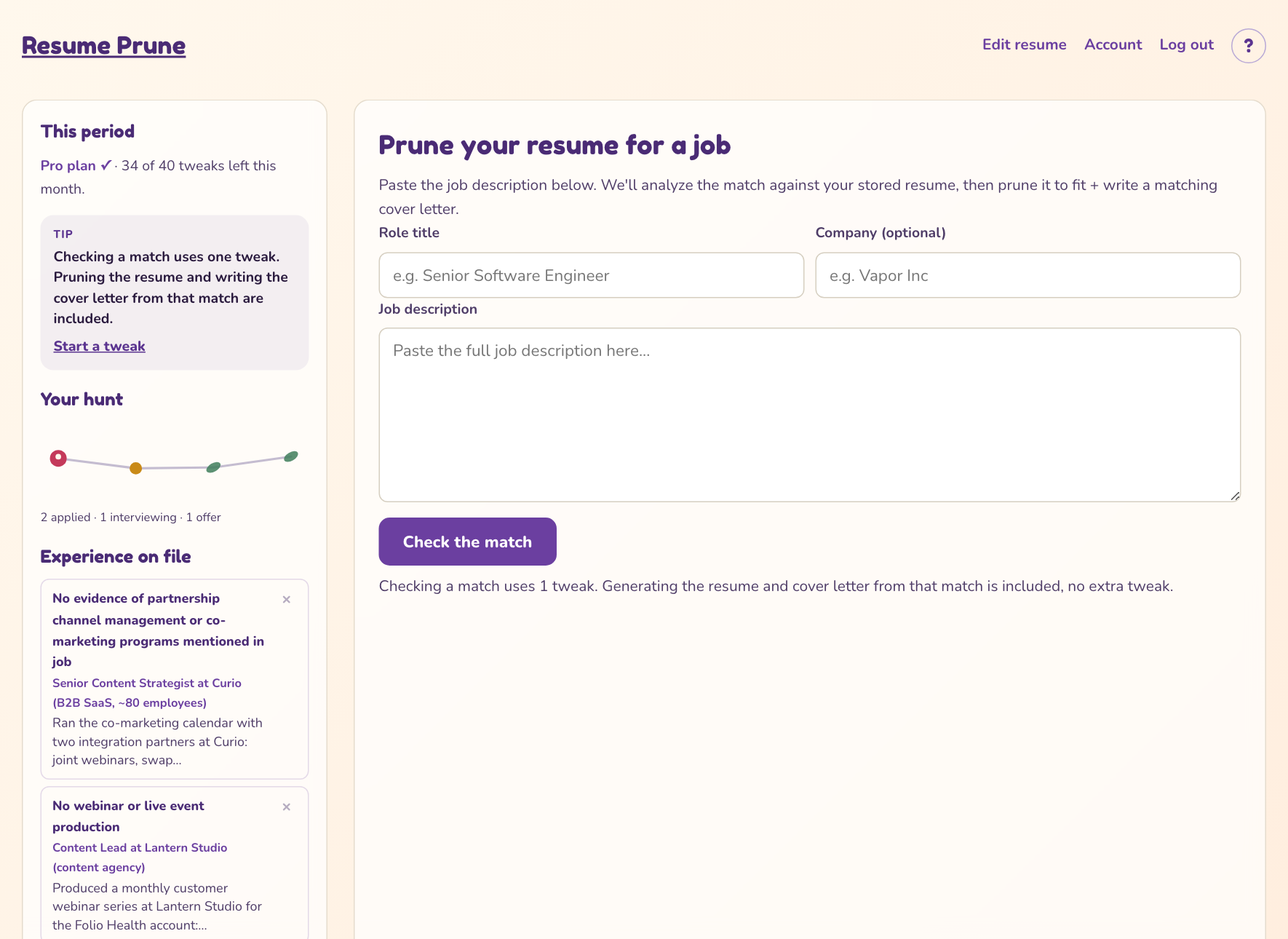
The form starts a tweak. The column beside it keeps score.
Every tweak has a status
Each past tweak carries a status. You set it with the dropdown under the tweak. Nothing else moves it, because the app never guesses where an application stands.
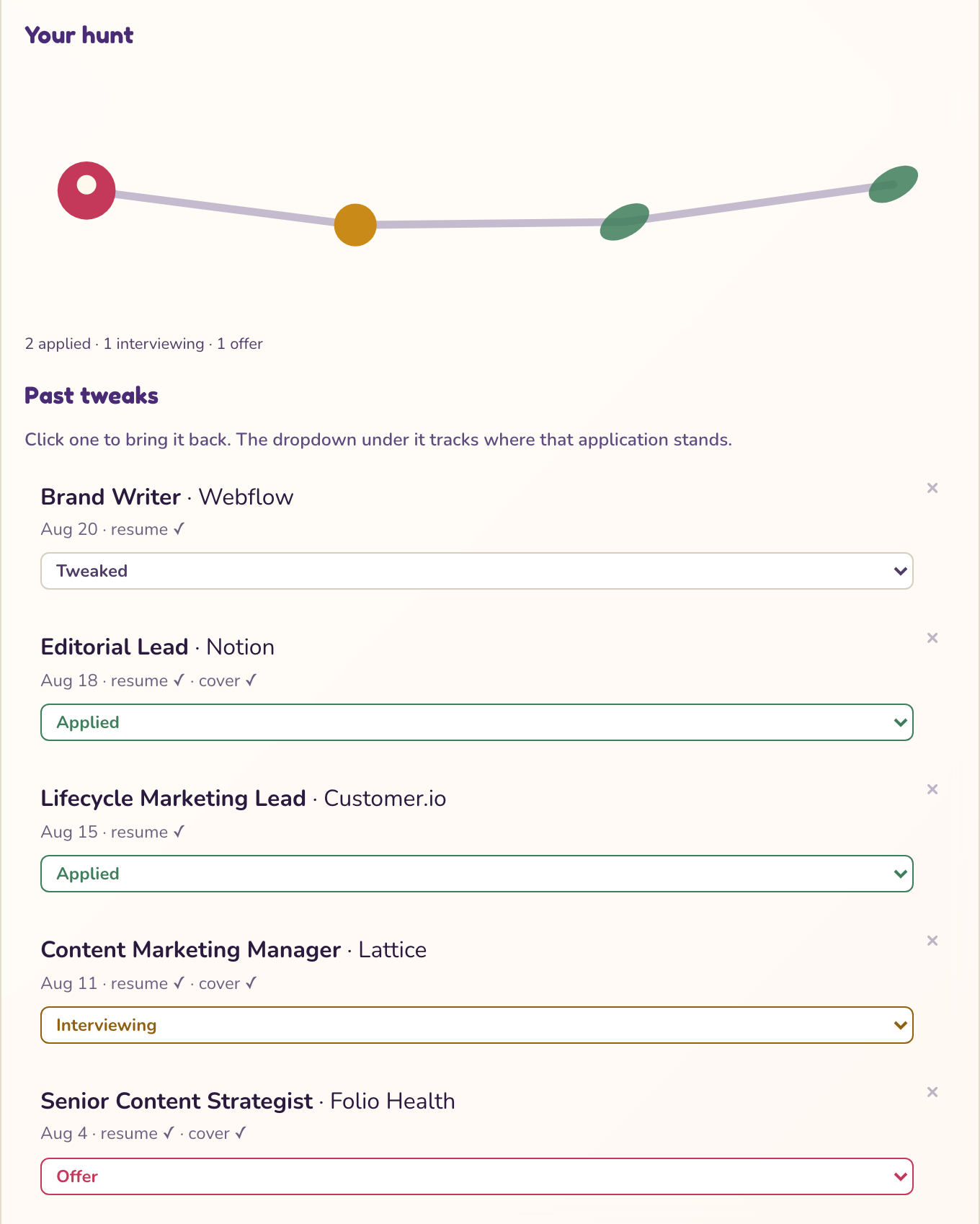
Leaf for applied, round bud for interviewing, fruit for an offer. Oldest on the left.
What each part of the screen is for
The main panel
- Role title and company. These label the tweak in your history. Role title is required, company is optional.
- Job description. Paste the whole posting. At least a paragraph, up to 12,000 characters. Messy copy-paste is fine.
- Check the match. Uses one tweak. You get a score out of 10, the strong alignments, and the real gaps. Scored to be accurate, not to flatter you.
- Prune my resume and Generate cover letter. Both are included in the tweak you already spent. No extra cost.
- Resume preview. What you'll download. Pick Classic, Modern, or Executive. You can preview all three; Classic downloads on every plan, Modern and Executive download on an active Sprint or Pro plan.
- What got pruned and why. Every cut, with the reason. Read it before you send.
- Cover letter. Around 200 words, plain format. It pastes cleanly into any application portal.
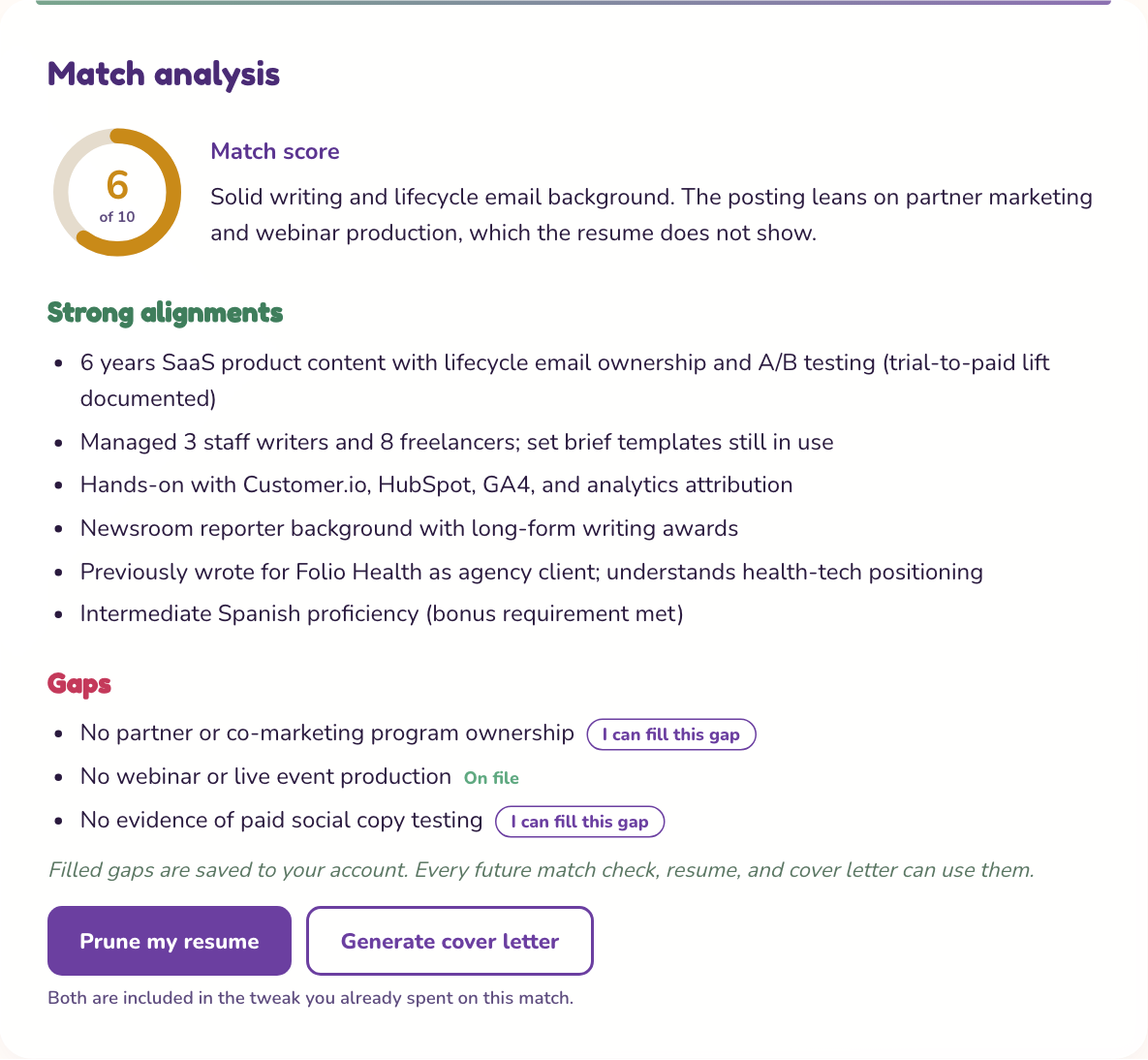
The gaps list is where the saved-experience feature lives. The button under each gap is the start of it.
The side column
- This period. Your plan and how many tweaks you have left. Sprint resets every week, Pro resets every month.
- Your hunt. A vine that grows one node for every tweak you've marked Applied, Interviewing, or Offer.
- Experience on file. Gaps you've filled with things you actually did. Every future check, resume, and cover letter uses them.
- Live resume links. Resumes you've published as web pages, with view counts. Edit the look or unpublish from here.
- Past tweaks. Your last 30 tweaks, newest first. Click one to bring the whole thing back: analysis, resume, cover letter.
The top bar
- Edit resume. Re-runs the upload steps and replaces your base resume. Past tweaks keep the resume they were built from.
- Account. Your plan, billing, password, a download of all your data, and account deletion.
- ? A two-minute version of this page, plus a button to replay the tour.
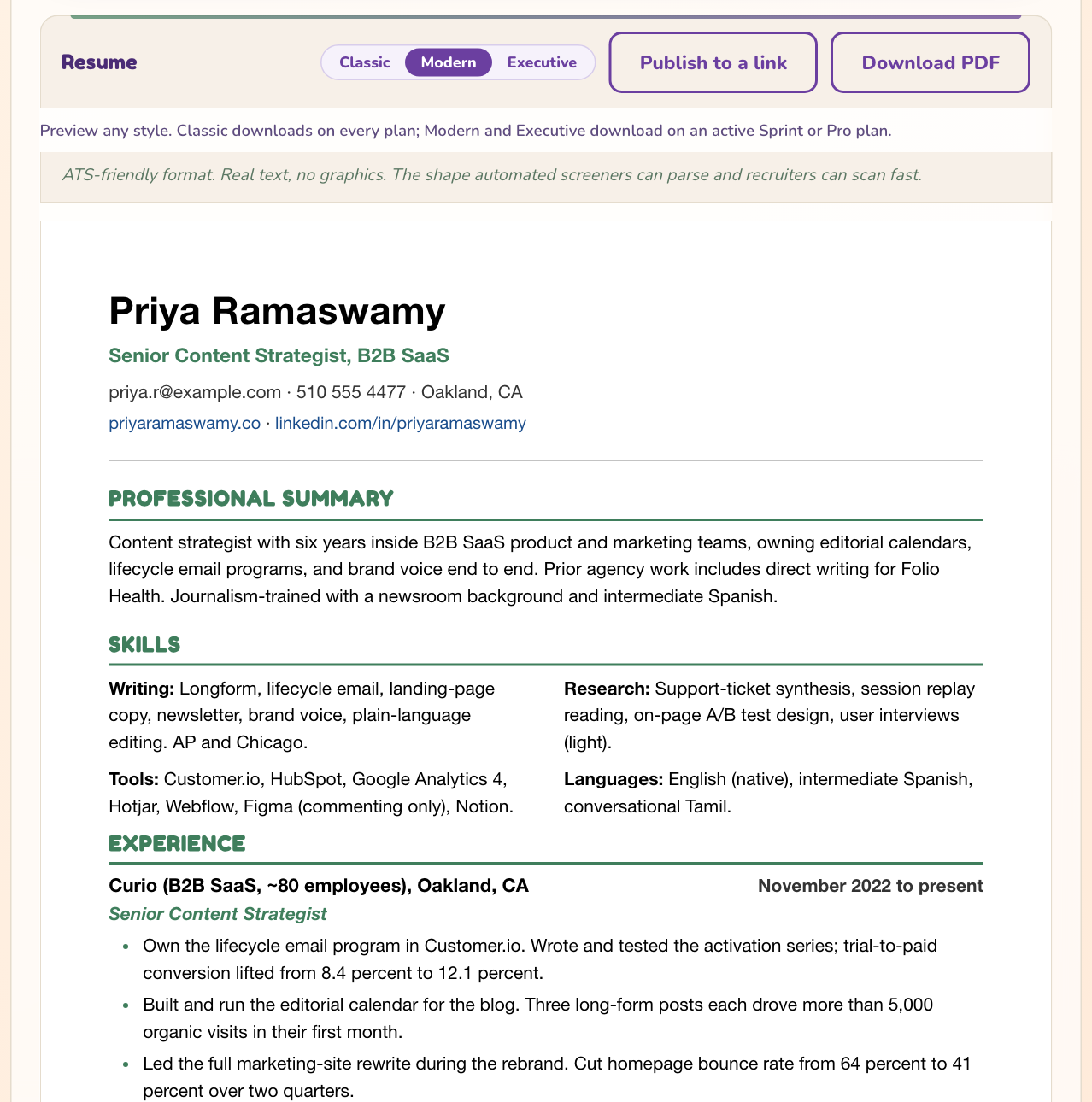
The style picker changes the preview and the PDF. The pruning notes sit right under the resume so you can check every cut.
A normal day
- Find a posting you like. Paste it in with the role title and check the match.
- Read the score and the gaps. If a gap is something you've actually done, fill it. Then prune the resume and generate the cover letter.
- Read what got pruned, download both PDFs, apply. Come back and mark the tweak Applied.
Your first ten minutes
- Thirty seconds: open the dashboard and find your tweak count under This period. That's your budget for the week or month.
- Paste one real posting and check the match. Don't overthink the role title, it's only a label.
- Prune the resume, read the What got pruned and why list, and download the Classic PDF. Now you know exactly what the app does to your resume.
Filling a gap, step by step
The match check can only work with what's on your resume. When a posting asks for something you've done but never wrote down, this is how you fix that once, for every future check.
- Under Gaps in the match analysis, tap I can fill this gap.
- Pick the job where you did it. If that job isn't listed, add the company, your role, and the dates.
- Write what you actually did in a sentence or two of real detail. "Ran weekly SQL reports for the ops team" beats "data experience".
- Save. The gap shows On file and the fill lands under Experience on file.
- Hit Re-check the match to count it toward this match. The first re-check on each job is free, and each one after that costs a tweak. Or let it kick in on your next posting.
Publishing a resume link, step by step (Sprint or Pro)
A pruned resume can become a web page at resumeprune.com/r/your-name, the kind of link you put in a LinkedIn message or an email signature. Only the resume shows. Never the analysis, never the pruning notes.
- Prune a resume first. Publish to a link sits above the preview.
- Pick the link name. 3 to 40 characters: lowercase letters, numbers, and hyphens. It can't be changed later, so pick the one you'll keep.
- Choose a style (Modern, Warm, or Editorial), an accent color, an optional headline, and up to 6 links. The preview updates as you go.
- Decide whether search engines can find the page. That's off by default, so only people with the URL see it.
- Publish, then copy the URL. It's live right away.
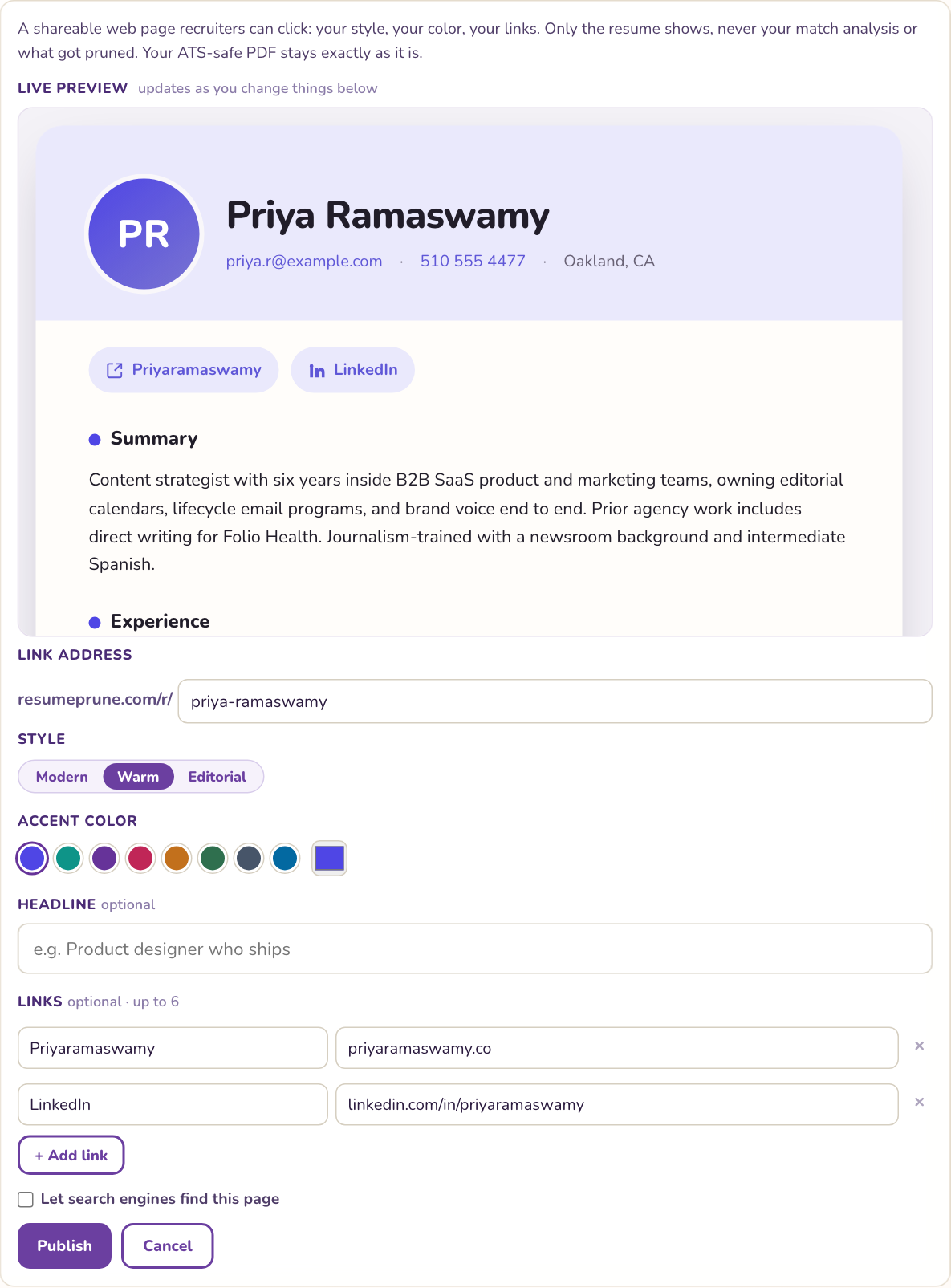
Everything on the page is a preview of the real link. Change the color and the preview changes with it.
What free covers, and what Sprint and Pro add
| Plan | Tweaks | What you get |
|---|---|---|
| Free | 2 a month | The free sample at resumeprune.com/try. No account, no card. Match, resume, and cover letter, emailed to you with a link that lasts 30 days. The dashboard isn't part of free. |
| Sprint $9 a week | 20 a week | The full dashboard: saved base resume, history, the job tracker, saved experience, live resume links, all three PDF styles. Built for an active hunt. Cancel any time from your account. |
| Pro $14 a month | 40 a month | Everything in Sprint, on a monthly reset. Better for steady tweaking over a longer stretch. |
A new week or month starts the count over. Unused tweaks don't carry forward. Paying takes about a minute: pick a plan, check out, set a password after. Both plans renew automatically until you cancel, and canceling keeps the plan active through the period you already paid for.
Deleting things, and what comes back
- A past tweak (the x in the corner): asks first. Can't be undone. A live resume link built from it goes down too.
- A live resume link (the x next to it): asks first. The URL stops working right away and that address can't be reused, but the tweak stays and you can publish it again under a new name.
- Saved experience (the x next to it): asks first. Gone right away, and future checks stop using it.
- Your base resume: never deleted, only replaced when you use Edit resume. Past tweaks keep the version they were built from.
- Your account (Account page): everything, permanently, including every live link. Download my data on the same page first.
Quick answers
- Does checking a match really use a whole tweak?
- Yes, one. Pruning the resume and writing the cover letter from that match are included. After you fill a gap, the first re-check on that job is free. Any re-check after that costs a tweak.
- Will it make things up on my resume?
- It's built not to. The rules only allow rephrasing, reordering, and cutting what's already on your resume or in your saved experience, and the pruning report shows every change. You review everything before you send it.
- How do I change my base resume?
- Edit resume at the top of the dashboard. It re-runs the upload steps and replaces the base. Past tweaks keep theirs.
- Can I use the dashboard on the free tier?
- No. Free is the sample at /try: 2 a month, no account. The dashboard, history, tracker, saved experience, and live links need Sprint or Pro.
- What's the difference between Sprint and Pro?
- Sprint is $9 a week with 20 tweaks a week. Pro is $14 a month with 40 tweaks a month. Same features, different reset. Both cancel any time.
- How do I cancel?
- Account, then Manage subscription. One click into the billing portal. Your plan stays active through the period you already paid for.
- Can I see the app tour again?
- Yes. Tap the ? at the top of the dashboard, then Show me around.
- Where do I ask for help?
- The Feedback button in the bottom corner of the dashboard goes straight to me, Jen. I read every one.
No plan yet? Try the free sample or pick a plan.